How to Convert HEIC to JPG or JPEG
Add your HEIC files
Drag photos into the box or click to browse. Add many files at once—works on Windows 11, Mac, iPhone, and Android Chrome.
Convert
Click Start Conversion. Pick a JPG quality if you like—90% is a solid default. Everything runs locally in your browser.
Download your JPGs
Save images one by one or grab a single ZIP. Your new JPG files are ready to email, upload, or print.
Why convert HEIC to JPG?
HEIC (what you have now)
- Smaller files: Apple’s format saves space on your phone while keeping detail.
- Modern extras: Live Photos and depth data fit in one file.
- Not everywhere: Many apps, sites, and older PCs still expect JPG or JPEG.
About JPG
- Opens anywhere: Email, social, printers, and old software all understand JPG.
- Easy to share: No “wrong format” errors when you send photos to family or clients.
- You control size: Adjust quality to balance sharpness and file size.
HEIC to JPG: common questions
How do I convert HEIC to JPG on Windows 10 or 11?
Open this page in Chrome, Edge, or Firefox on your PC, upload .heic files, and convert. No Microsoft Store HEIF extension required. For a full walkthrough, see our guide: Convert HEIC to JPG on a Windows PC.
How do I convert a HEIC file to JPG?
Same flow: upload, convert, download. HEIC and HEIF both work. Not sure what is in the file? Open it in our free HEIC viewer first, then convert when you are ready.
Is HEIC the same as JPEG?
No. HEIC is Apple’s newer photo format; JPG (JPEG) is the older format almost every device accepts. Converting does not change your original unless you replace the file—you get new JPG copies.
Can I convert many HEIC files at once?
Yes. Add as many photos as you need in one go and download them as a ZIP. Great after importing an iPhone camera roll to a Windows PC.
Is this HEIC to JPG converter really free?
Yes—no signup, no watermark. Conversion happens on your device; we do not upload your photos to convert them.
Will JPG look worse than HEIC?
JPG uses compression, but at 90% quality or higher most people cannot spot a difference on a phone or laptop screen. You can slide quality down if you need smaller files.
How do I convert HEIC to JPG on Mac?
Open this page in Safari or Chrome on your Mac, upload .heic files, and download JPGs. Preview can export one photo at a time—this tool handles batch jobs in the browser. Step-by-step: Convert HEIC to JPG on a Mac — full steps.
How do I change HEIC to JPG on iPhone?
For new shots: Settings → Camera → Formats → Most Compatible. For JPG copies on the phone: copy from Photos and paste into Files. For a one-off send: Share → Options → Most Compatible. For many files: open this converter in Safari. Full walkthrough: How to change HEIC to JPG on iPhone.
How do I save HEIC as JPG?
Upload your HEIC file, click convert, and download the JPG. Your original HEIC stays unchanged—you get a new JPG copy ready to share or print.
Is this a HEIC to JPG convertor?
Yes. JPG and JPEG are the same format here—upload HEIC or HEIF files and download .jpg files. Whether you search HEIC to JPG or HEIC to JPEG, this converter handles both. No signup required.
Is my data safe?
Yes. HEIC image bytes are processed in your browser and are not sent to our servers for conversion. We do not store your photos for processing. Optional anonymized error reports may be collected to improve stability—see our Privacy Policy.
Good Products for You
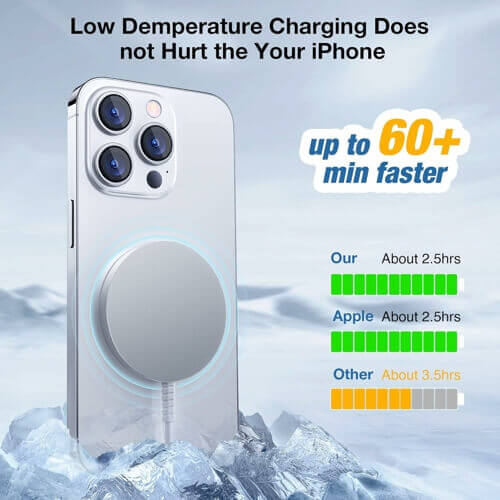
Magnetic Wireless Charging Pad for iPhone
Strong Magnet, Aluminum Alloy, USB-C/A Ports, Ultra-Thin & Portable, Ideal for Desk & Bedside
View on Amazon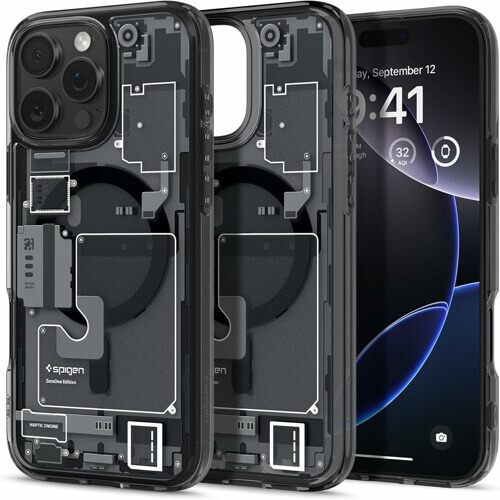
Spigen Ultra Hybrid MagFit Direct Digital Printing Case for iPhone
Ultra-Thin & Portable, Ideal for Desk & Bedside
View on Amazon
SHOKZ New Bone Conduction Sport Headphones
Open-Ear Design, Perfect for Sports & Outdoor Activities
View on Amazon
No comments yet